Setting the Stage
In the first part of this series, we talked about the smallest and most important part of a block theme: the block. Now we’re going to zoom out and look at the larger structures that blocks form when combined—templates, template parts, patterns, and pages. Together, these pieces make up the full architecture of a block theme and determine how a site is assembled.
One of the biggest challenges with full site editing is wrapping your head around how templates, template parts, patterns and pages actually relate to one another. A simple way to visualize it is to imagine your WordPress site as a house. Each part of a block theme plays a different “architectural” role.
Templates ~ The Outer Walls and Floor Plan
House Analogy: The structural blueprint: outer walls, room placement and overall flow
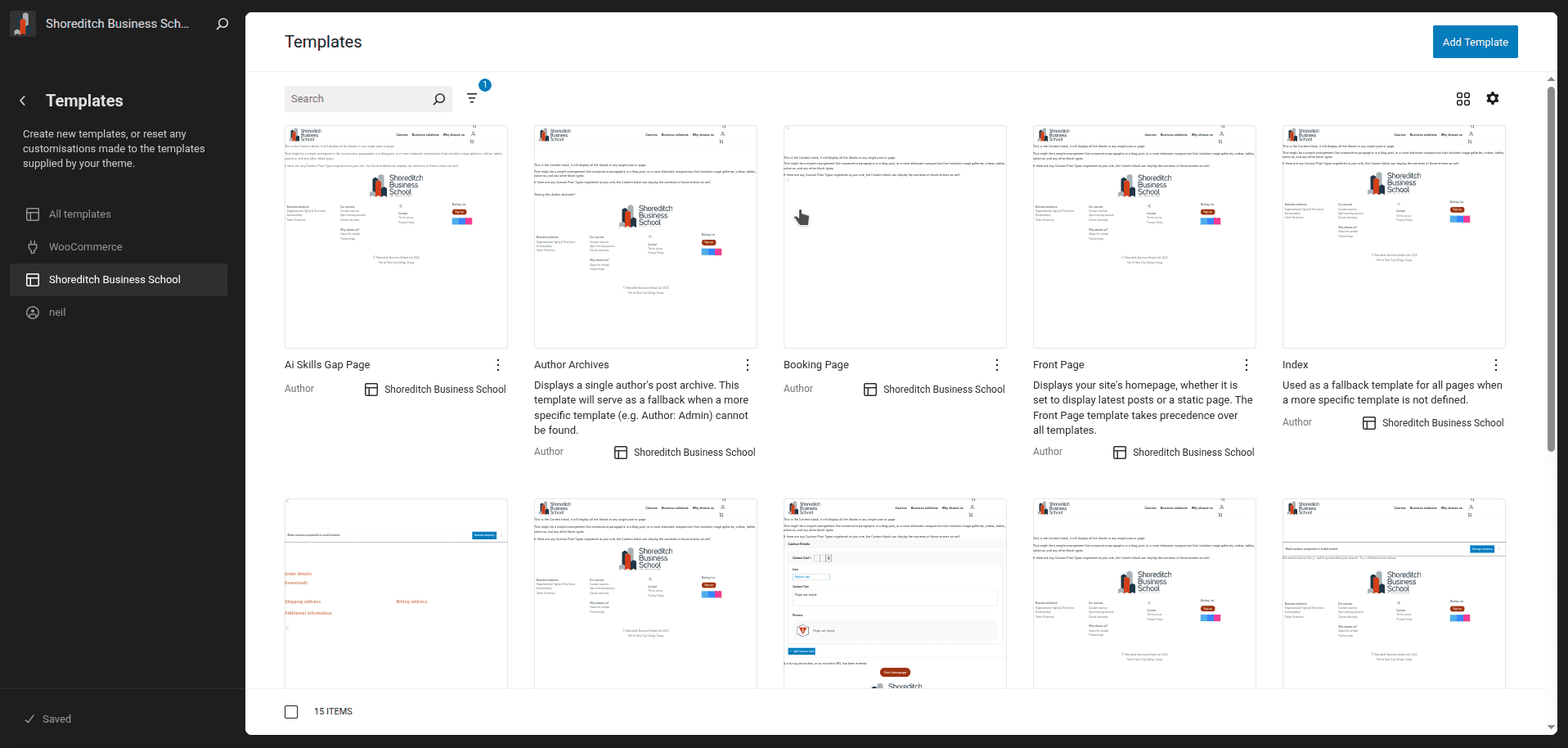
Templates determine the essential layout of a page: where major sections go, how wide areas are, and which elements repeat across the site. They’re the architectural framework every room must follow.
- The Front Page template? That’s the way your entrance hall looks – the first thing anyone sees when they visit your house and enter through the front door.
- The Single Post template? That’s like the layout for a bedroom: it decides where the door, windows, and built-in fixtures go.
- The Page template? Think of it as the living room layout: maybe a wide open area with a hero at the top.
Change a template, and every page using it gets that structural change.
How Users Should Think About Templates
- Pick a template when creating a new page to choose its layout.
- You usually don’t need to edit templates unless you’re shaping the site’s overall design.
How Developers Should Think About Templates
- Templates must include a Content block if you want to display the content users create in the block editor on their pages.
- Templates can also include template parts, patterns or blocks directly
- Without a Content block, the template will still work – it will display any template parts or blocks you’ve added directly to the template, or be empty – but it won’t show the page-specific content users add.
- Any element inserted into a template becomes global for every page using it.
- Use templates to define the recurring structure across many pages.
Think of it like a house: if a house doesn’t have plumbing or electricity, it still exists. But if you want to see what’s inside the rooms – the furniture, decorations and personal touches – you need windows and doors to look through. The Content block is like those windows and doors: it’s what lets the page-specific content become visible. Without it, you just see the outer structure.
Template Parts ~ The Wiring, Plumbing & HVAC
House Analogy: Systems shared across all rooms
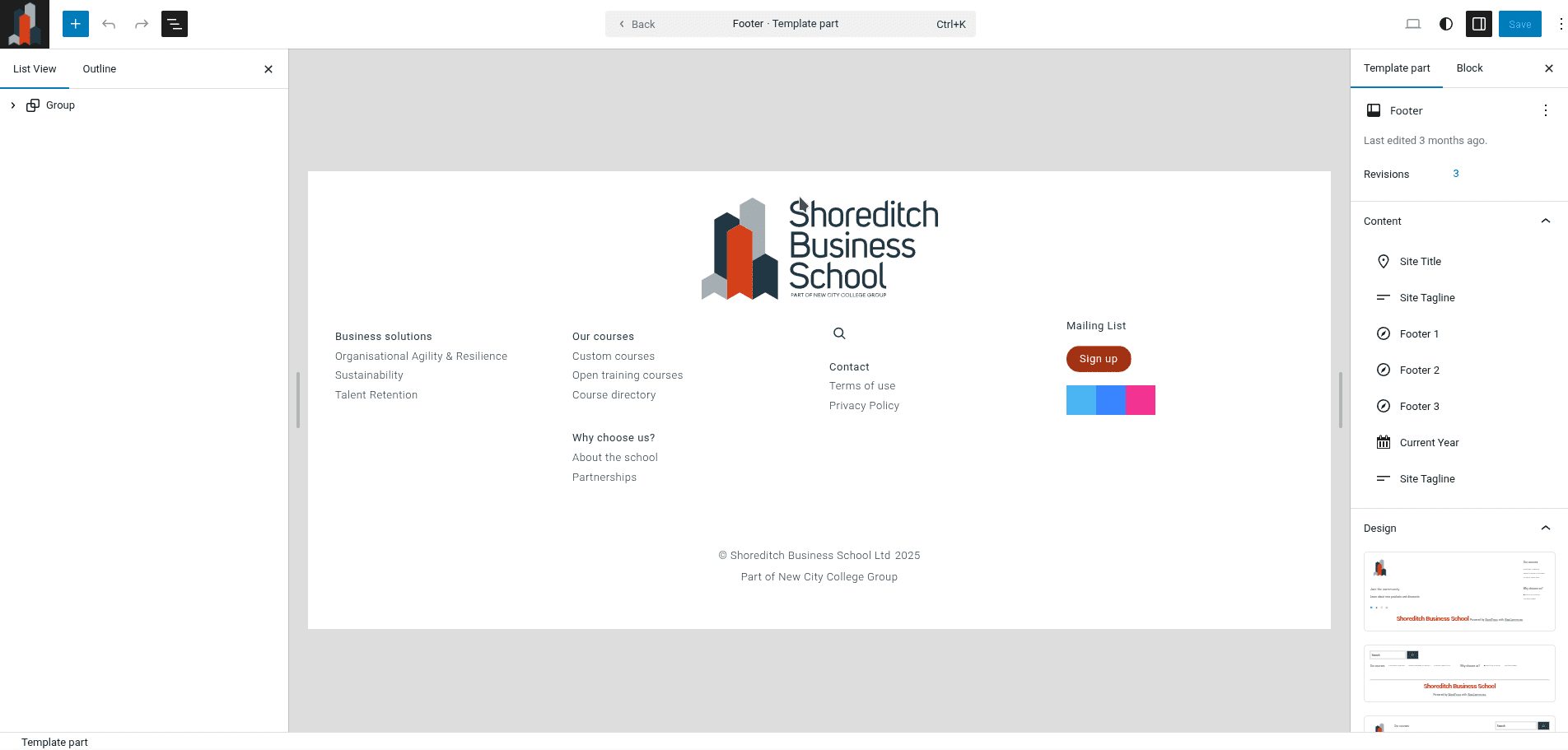
Template parts are reusable site-wide components that plug into templates and can’t be inserted into individual pages. Just like wiring or plumbing serves the entire house, template parts serve the entire site.
- The header template part is like the electrical panel: it exists in every room.
- The footer is like the plumbing that runs under the floors of the house.
How Users Should Think About Template Parts
- They’re global elements, like a contact form that appears on every page.
- Changing a template part updates it everywhere across the site.
How Developers Should Think About Template Parts
- Template parts are placed inside templates only – they cannot be used directly on pages.
- They’re built using blocks (even using only a single block like a Paragraph block).
- Use template parts for anything that repeats across multiple templates and must stay consistent
Patterns ~ Furniture You Can Rearrange
House Analogy: Sets of furniture you can place in any room
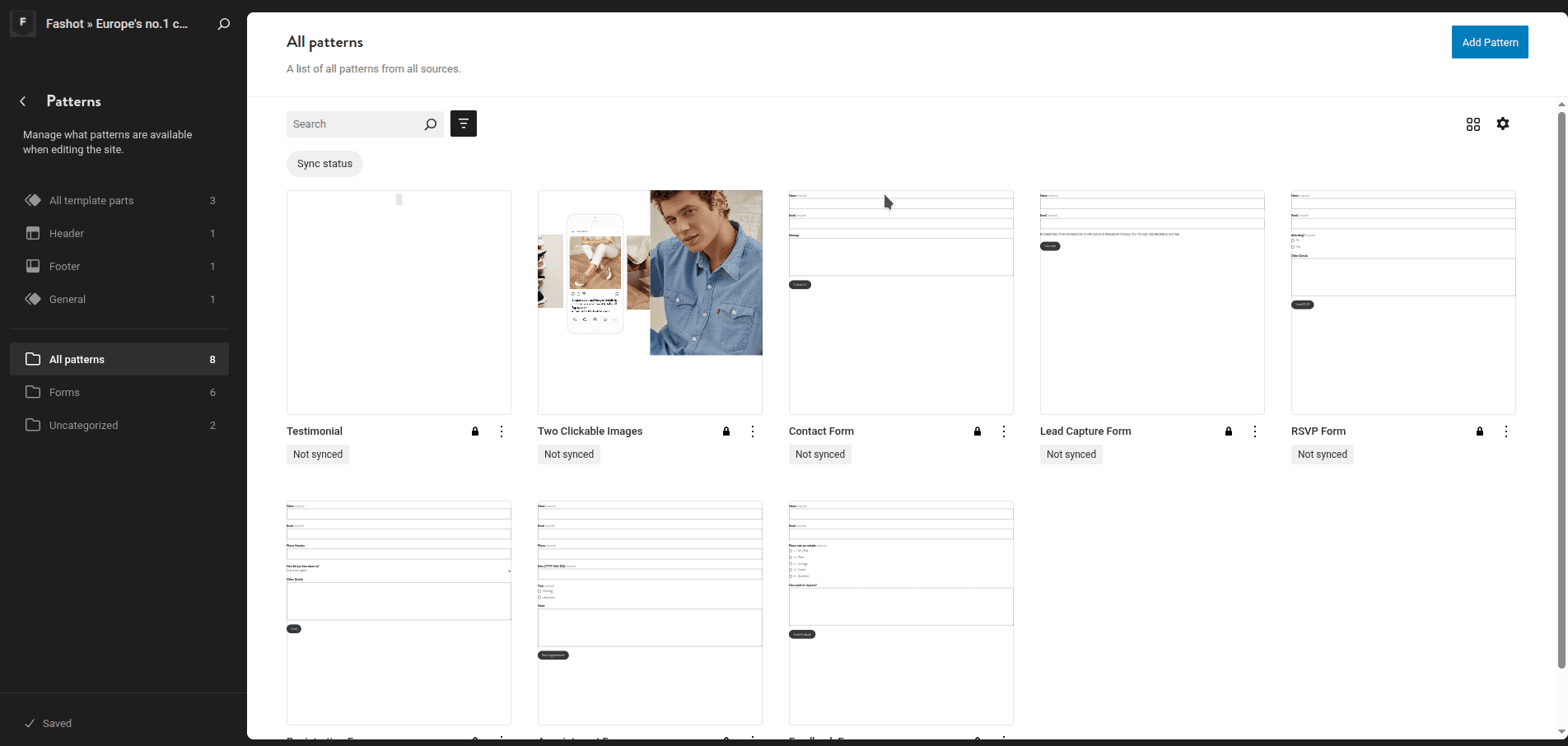
Patterns are pre-built arrangements of blocks that users can insert anywhere – templates, pages, or template parts. Each instance is like a separate piece of furniture: you can move it, edit it or replace it without affecting the original pattern.
- A “Call to Action” pattern is like a stylish dining table: you can put one in the kitchen and another on the patio.
- A “Services Section” pattern is like a sofa set: same pieces but different arrangement, depending on the room.
How Users Should Think About Patterns
- They speed up page building by providing reusable sections (e.g. page hero, CTA, services grid).
- Once inserted, each pattern is independent and fully editable.
- You can use them on any page, template, or even within template parts.
- You can create both synced and non synced patterns in the Full Site Editor.
How Developers Should Think About Patterns
- Patterns help users avoid rebuilding the same structure repeatedly.
- Important technical note: Patterns insert as static HTML into the page.
- Structural changes to the pattern written in your theme’s codebase later won’t update existing pages
- Styling changes will update the patterns in existing pages, because CSS cascades
- Use patterns when you want repeatable layouts that users can customize freely per page
Developer Tip: If a structure may need future functional updates, don’t lock it into a static pattern – use a custom block instead, so that it dynamically gets updated on existing pages.
Core Blocks and Custom Blocks ~ Building materials
House Analogy: Standard furniture vs. custom-built pieces
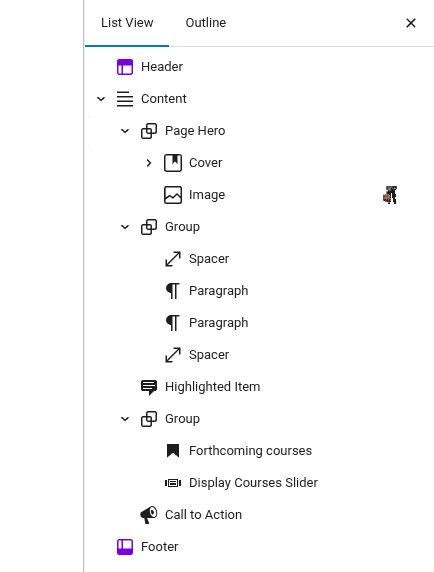
Blocks are the building units of everything in a block theme.
- Core blocks ~ ready-made furniture that fits most needs
- Custom blocks ~ purpose-built pieces for functionality you can’t achieve with core blocks
How Users Should Think About Blocks
- Blocks are the everyday tools for adding content.
- You can insert them anywhere: templates, patterns or pages.
- They’re the basic building materials for everything you create.
How Developers Should Think About Blocks
- Use core blocks whenever they meet your needs.
- Create custom blocks when you need functionality or dynamic behavior that core blocks can’t handle.
- Custom blocks or block styles/extensions are like designing a special piece of furniture or building a sliding door system – something unique that off-the-shelf items can’t provide.
- Use custom blocks or block styles/extensions when no core block (or combination of blocks) provides the required functionality or flexibility.
Pages ~ The Finished Rooms
House Analogy: The final decorated rooms
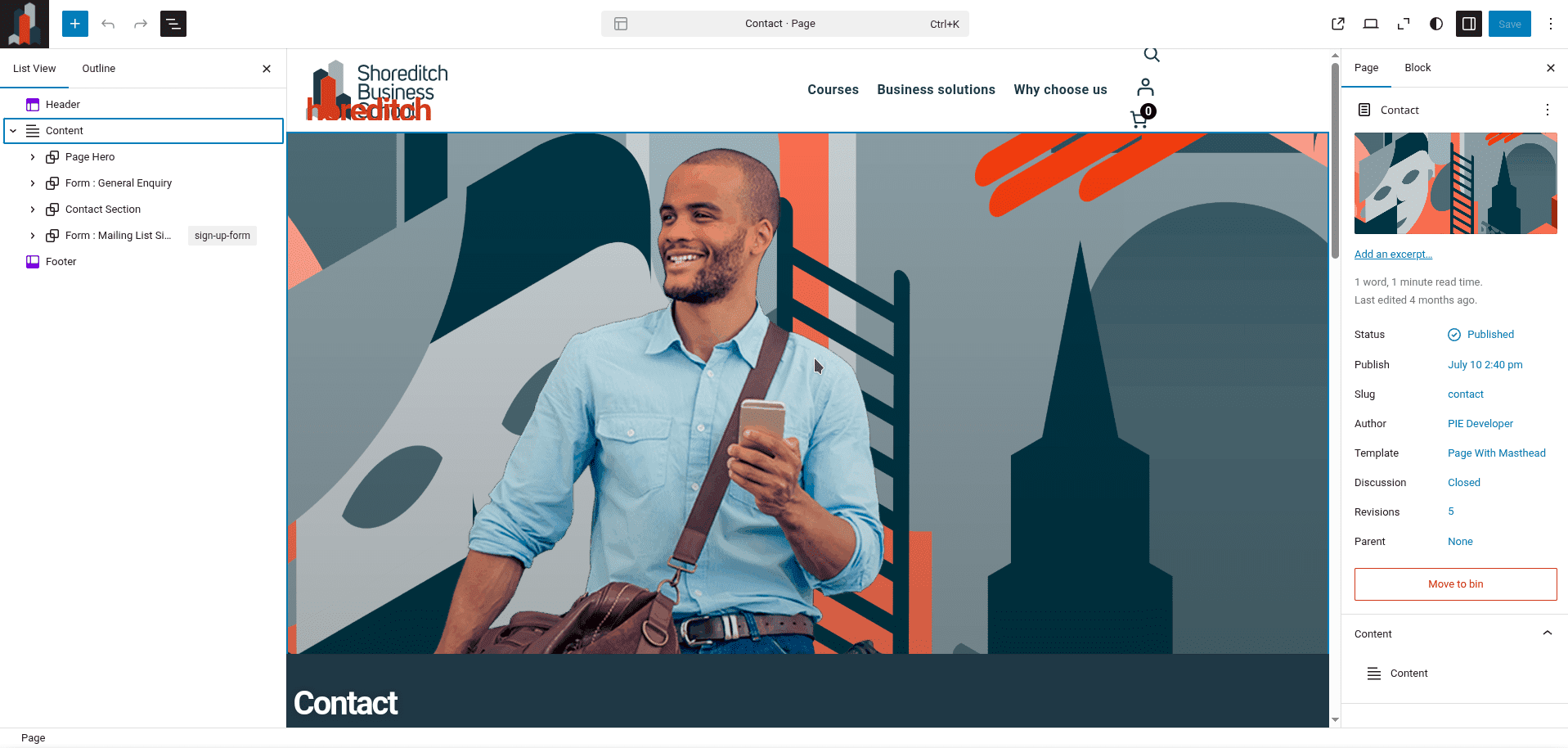
Pages are where templates, template parts, blocks and patterns all come together. Each page is a specific room in your house:
- It uses a template (the room layout)
- Inherits template parts (the plumbing and wiring)
- Allows you to fill the space with furniture and decorations (blocks and patterns)
How Users Should Think About Pages
- Pick a template for each page you need to build.
- Add blocks or patterns to it.
- Customize the blocks and patterns depending on your needs.
How Developers Should Think About Pages
- Pages don’t need to be created in the codebase of your theme; if there is at least one template containing the Content block, any page created in the block editor and published will be displayed on your browser.
Bringing It All Together
Think of building a block theme like constructing a house:
- Templates form the outer walls and floor plan
- Template Parts are the house-wide systems (plumbing, wiring, HVAC)
- Patterns are the furniture you can arrange and rearrange
- Blocks and custom blocks are the tools and materials for building everything
- Pages are the finished rooms visitors actually walk into
This analogy helps explain why block themes feel both more flexible and more controlled. You’re not just building pages – you’re architecting the whole house through the full site editor.
The Building Flow
When you start building a block theme, here’s the typical flow:
- Create template parts
- Build templates that include those template parts and, crucially, include the Content block if you want users to be able to add their own content to pages
- Create patterns for repeatable sections users will want to insert
- Develop custom blocks when core blocks can’t provide the needed functionality
We’ll explore each of these parts in more detail in future articles, but hopefully this analogy has started to clear up the mist around how block themes work as whole systems.
Next up: Creating a block theme – where do we start? We’ll walk through the first steps for both developers and people who build sites without touching code!